
Getting Started
Product Updates
Email scheduling is now available in Vaizle AI
Read MoreVaizle AI now supports multiple marketing platf...
Read MoreGoogle Ads is now live inside Vaizle AI
Read MoreVaizle’s new Meta Ads experience is now live
Read MoreIntroducing Live Agent for Real-time Meta Ads A...
Read MoreYou can now choose which AI model powers your V...
Read MoreIntroducing Live Web Search in Vaizle AI
Read MoreVaizle AI Update: Responses are now easier to r...
Read MoreVaizle’s new Meta Ads experience is now live
We are updating Vaizle to make it your go-to marketing analyst, starting with Meta Ads.
This update brings a cleaner chat setup, better context, faster answers, and improved transparency.
With this update, our goal is simple: Vaizle should understand your Meta Ads setup better before the analysis begins.
Here’s what’s new.
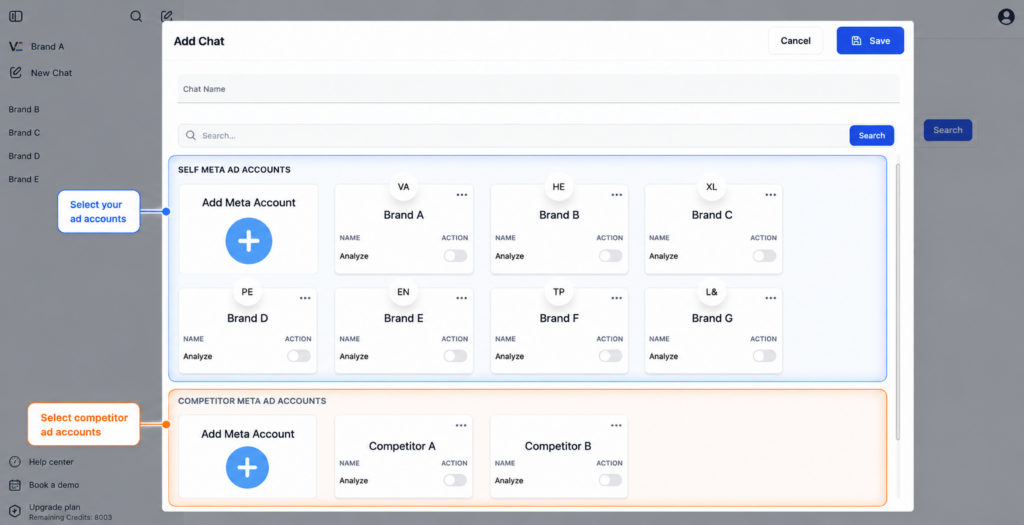
Your chats now start with better Meta Ads context
Earlier, a new chat mostly started with the Meta ad account you selected. Competitors, websites, landing pages, and guidance had to be added later from inside the chat.
Now, you can select your Meta ad account and competitor ad accounts while creating a new chat.
Inside the chat, you can still add more context whenever needed, such as your website, a landing page, a competitor website, a competitor webpage, or custom guidance.
We have also added active conversion event selection, explained below.
Competitor accounts are easier to reuse (+ Ad previews)
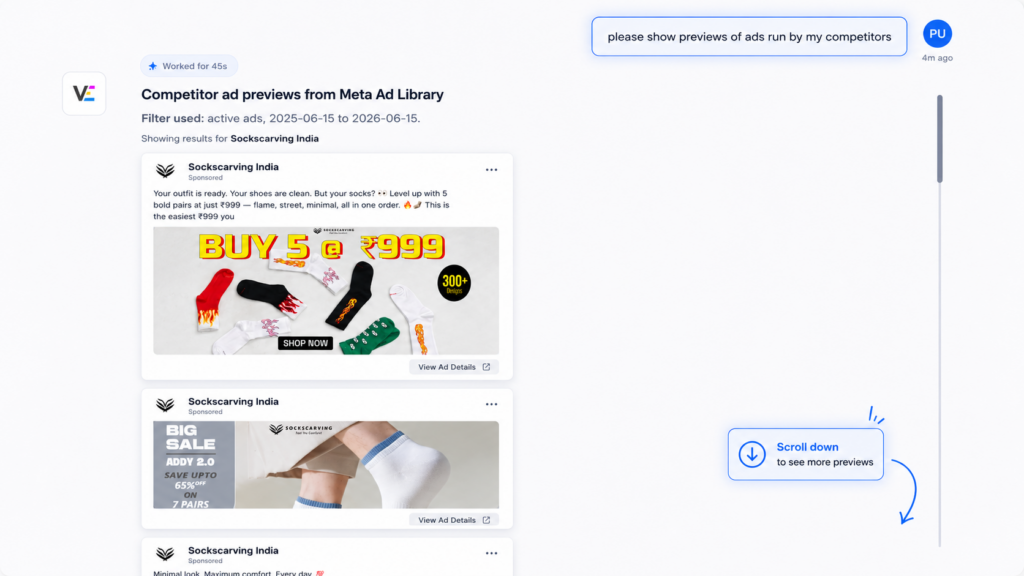
Competitor ad accounts are now part of your Vaizle setup.
Once a competitor ad account is added, you can select it while creating any new chat. This helps if you regularly track the same competitors for creative ideas, offer comparison, landing page inspiration, or messaging analysis.
Vaizle can also show competitor ad previews inside the chat, so you do not have to open Meta Ad Library links again and again.
Choose the conversion event Vaizle should focus on
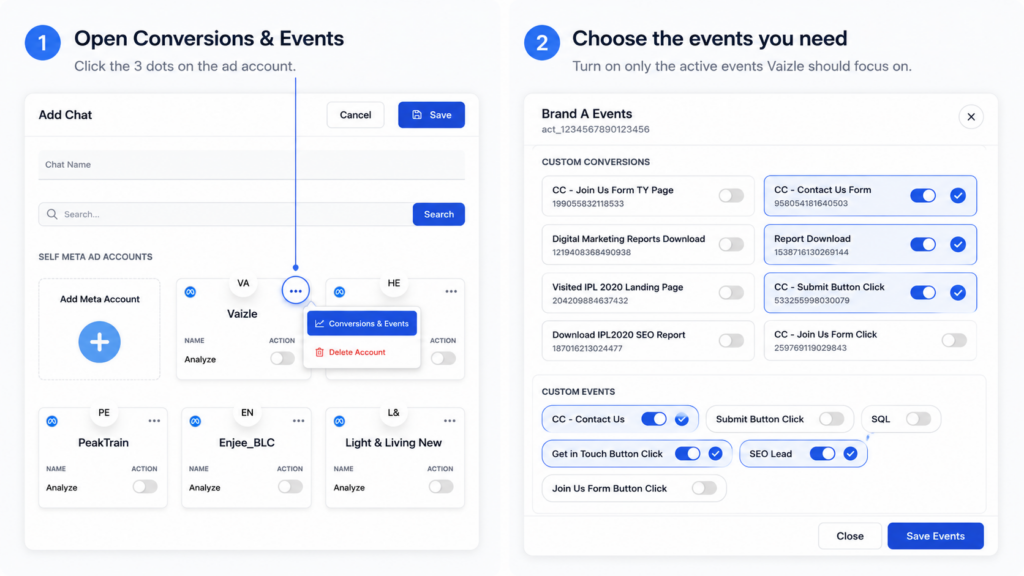
Meta ad accounts often have many conversion and events. Some are active, while others are old or no longer used.
Earlier, Vaizle could pull in all custom conversions and events, which made the chat context noisy. Users often had to explain which mattered for their analysis.
Now, when you add a Meta ad account to a chat, you can select the active conversions and events you want Vaizle to focus on, such as Purchase, Lead, Add to Cart, or Complete Registration.
This helps Vaizle stay focused on the goal that actually matters for that chat.
Answers are faster and more useful
We have rebuilt major parts of the backend and improved how Vaizle answers Meta Ads questions.
You should notice faster responses, especially when asking about campaign performance, spend changes, trend shifts, and optimization priorities.
Because Vaizle now starts with cleaner context, answers should also feel more focused and practical.
Website and webpage context now fetches in real time
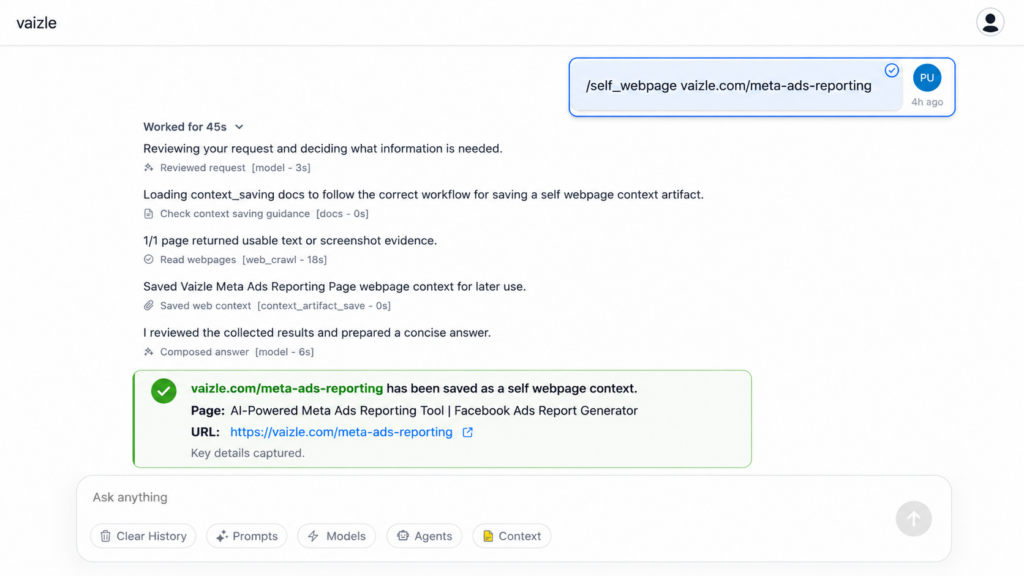
You can add your website, landing page, competitor website, or competitor webpage as context inside a chat.
Now, when you add your own website or webpage, you can see Vaizle fetching and processing that data in real time.
This makes it clearer that Vaizle is reading the page before using it in the analysis. It also helps when you want to connect ad performance with the page people visit after clicking your ad.
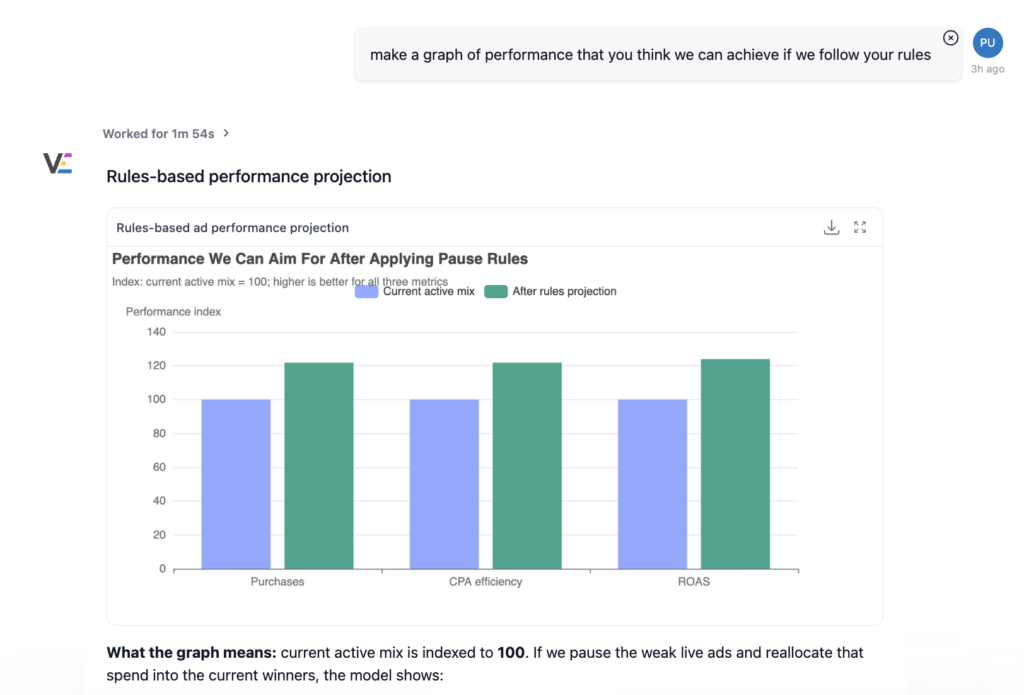
Ask for charts, tables, and graphs when needed
Along with written answers, Vaizle creates tables, charts, graphs, campaign breakdowns, comparisons, and trend views inside the chat.
You can ask for the view you need instead of sticking to a fixed format.
Longer-range analysis is now supported
You can now ask questions across longer time ranges instead of being limited to only the most recent three months of data.
This helps when you want to understand bigger performance patterns, seasonal changes, campaign history, or long-term account movement.
What’s coming next
This update is focused on Meta Ads.
Next, we are working on more connected data sources, including Google Ads, Shopify, and other marketing platforms.
The goal is to make Vaizle a marketing analyst that can help you understand performance across channels.
Have questions about this update? Reach out to us at [email protected] or start a chat from inside Vaizle.
Still have questions?
Connect with our team
If you have specific questions about our trial plan or Meta Ads Agent, our team is here to help.
Contact Support