

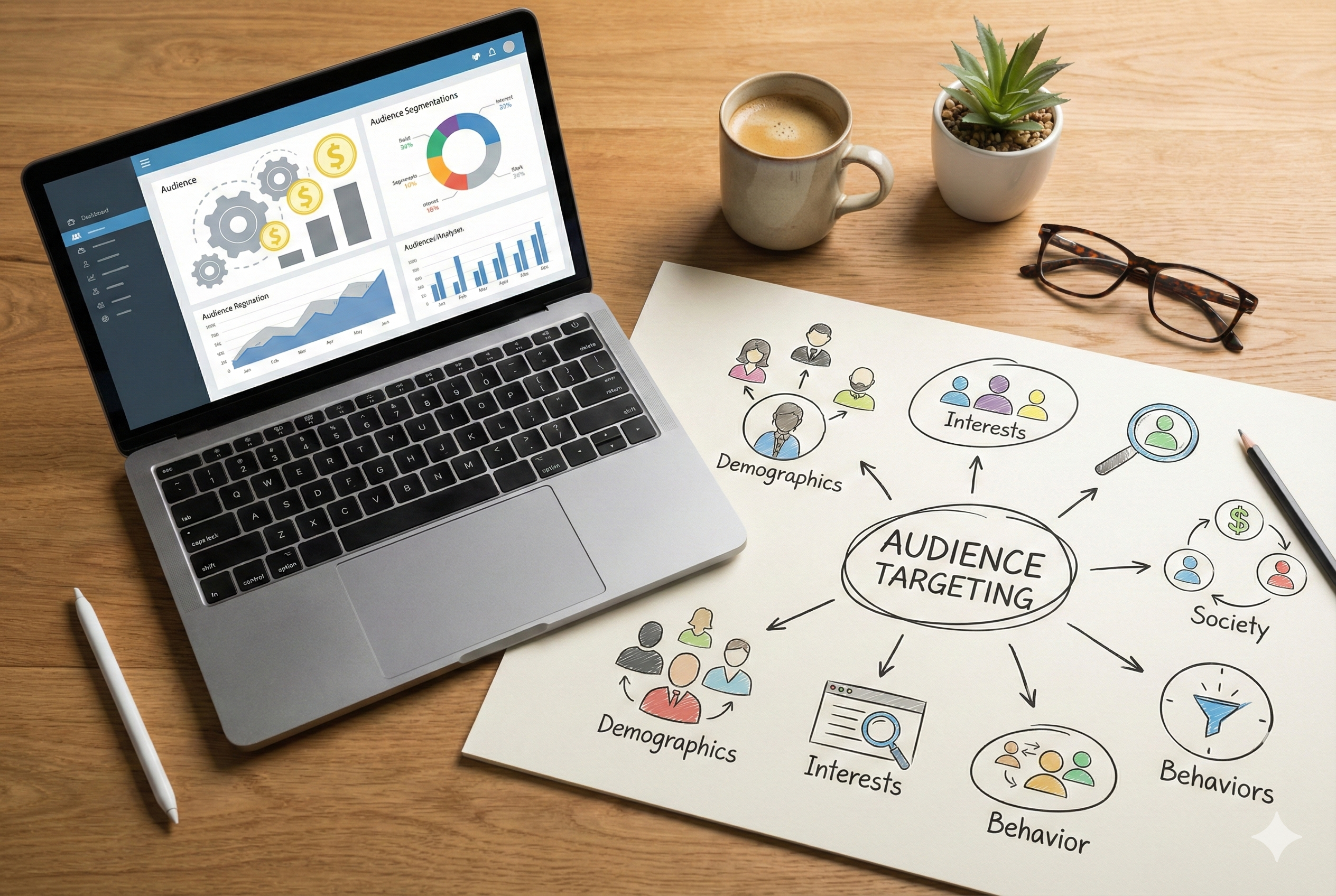
Facebook ad targeting has changed significantly over the last few years. It’s still about reaching the right people, but the way you “tell” the platform who those people are looks very different today.
Meta now prioritizes its own machine learning over manual audience controls. Instead of strictly following the parameters you select, the platform decides who sees your ads based on conversion probability. You define the boundaries, and the algorithm finds potential buyers within them.
Because of this shift, there’s no single “best” targeting setup anymore. The right approach depends on your business stage, available data, and what you’re optimizing for.
That’s where this Meta ad targeting guide comes in.
This guide explains what Facebook ad targeting actually means today, which audience types to use in different situations, how Meta’s targeting options function in 2026, and the common mistakes that waste budget. It also touches on how recent platform updates (like Andromeda update) continue to shape how Meta’s delivery system interprets your audience selections.
What is Facebook ad targeting?
Facebook ad targeting is how you tell Meta’s system which people should see your ads. In practice, it’s become less about choosing exactly who sees your ad and more about giving Meta signals about the type of person you want to reach. The system then uses those signals, along with your creative and conversion data, to find people likely to take your desired action.
In simple terms, facebook ad targeting is how you define who you want to show ads to. Sometimes you define the audience directly. Sometimes you give Meta signals and let it expand. Both can work, but they are used for different situations.
Facebook ad targeting definition:
Targeting is the set of parameters you apply to an ad set that determines the pool of people Meta can show your ads to. These parameters can be broad (everyone in the United States aged 18–65) or specific (people who visited your website in the last 7 days and live within 10 miles of your store). Meta’s algorithm works within those boundaries to find the people most likely to convert based on what it’s learned from your campaign data and similar advertisers.
The key shift in 2026 is that targeting has moved from being deterministic to probabilistic. You’re not selecting an audience so much as you’re defining the edges of a pool and letting Meta’s machine learning do the actual selection work.
What you can control vs what Meta decides?
This is where most advertisers get confused, so let’s understand what you can control in Facebook ad targeting and what not.
What you control (hard constraints):
- Location
- Age ranges (within the limits of your setup and category)
- Sometimes gender (depends on category and settings)
- Exclusions (customers, converters, employees, irrelevant locations)
- Your custom audience choices (if you use them)
What you often only suggest (signals, not strict rules):
- Interests and behaviors
- Some detailed targeting expansions
- Automated audience expansion choices
This is why two advertisers running the same targeting settings will see completely different results. The targeting parameters are the same, but Meta’s predictions about who will convert are different based on each account’s historical data and creative.
The 5 audience types you’ll use most (quick overview)
Almost every campaign you run will use one of these five audience types, sometimes in combination:
- Core audiences are built from basic demographics: location, age, gender, and language. This is the foundation layer that every other targeting option builds on top of.
- Detailed targeting adds interests, behaviors, and demographic details on top of your core audience. This is where you’d add “interested in organic food” or “recently moved” to narrow who sees your ads.
- Custom Audiences are people who have already interacted with your business in some way—website visitors, past customers, people who engaged with your Instagram posts, or email subscribers you’ve uploaded.
- Lookalike Audiences tell Meta to find new people who share characteristics with a Custom Audience you’ve already built, usually your best customers or highest-value converters.
- Broad targeting means you set only core parameters (like location and age) and let Meta find everyone else on its own, with no detailed targeting or interest layers applied.
Each of these audience types works best in specific situations, which we’ll cover in detail in coming parts.
For now, you just need this mental model: good targeting is not about squeezing the audience. It’s about giving the system enough room to find results while protecting your budget with the right constraints.
How Facebook ad targeting works in 2026?
To understand targeting today, you need to understand what the system is actually trying to do. It’s not trying to show ads to the exact interests you picked. It’s trying to find the people most likely to complete your chosen outcome at the lowest cost, while staying within your constraints.
That outcome is defined by 4 systems in place: four systems that work together: your campaign objective, audience signals, creative and conversion data, and the learning phase. These aren’t separate things you optimize individually. They’re interconnected and a weak point in one area makes the others work harder.
Why your campaign objective changes targeting outcomes?
Your campaign objective tells Meta’s algorithm what success looks like, and that changes how the system interprets your targeting choices.
If you optimize for something “soft” like traffic, Meta can find cheap clicks from many audience pockets. If you optimize for something “hard” like purchases or qualified leads, the system starts hunting for people who behave like converters.
This creates a common problem:
Advertisers test audiences using the Traffic objective because it’s cheaper and faster, see good click-through rates, then switch to Sales and wonder why performance tanks. The audience didn’t change, Meta’s interpretation of which people within that audience to prioritize changed completely.
The campaign objective also determines how much weight Meta gives to your targeting parameters. With awareness objectives, your targeting choices matter more because Meta has less conversion data to optimize toward. With conversion objectives, especially once you’re out of learning, your targeting becomes more of a suggestion. Meta will show your ad outside your selected interests if it predicts a conversion, which is why you’ll sometimes see placement reports showing your “running shoes” ad delivered to people with no fitness interests at all.
So when you ask “which targeting should I use,” the real first question is: what outcome are you optimizing for?
What audience signals are and why they matter more than exact interests?
Meta officially renamed “targeting” to “audience signals” in Advantage+ campaigns, but the concept applies to all targeting now.
A signal is anything that helps the system understand what “type” of person is likely to convert. Interests can be signals. Custom audiences are strong signals. Lookalike seeds are signals. Your creative itself is a signal, because it attracts and repels different people.
This is the modern approach:
- Use targeting to provide direction.
- Use creative and offers to qualify the right people.
- Let the system learn who converts.
That’s the reason “stacking” 10 interests and narrowing further often backfires. It reduces exploration and sometimes slows learning.
Why creatives and conversion signals affect who Meta finds?
Here’s the part many people skip. Even if your audience targeting is perfect, the system still needs to learn which users respond and convert.
Two things heavily influence that:
1) Your conversion signal
If you optimize for a weak or noisy event, the system learns the wrong thing. For example, if you optimize for landing page views when you really want sales, you may get volume, but not buyers.
2) Your creative
Creative determines who stops scrolling, who clicks, and who converts. If your creative is too broad, the system attracts mixed intent. If your creative is specific, it naturally pre-qualifies the audience, even with broad targeting.
This is why targeting strategy and creative strategy should be planned together. You’ll see this again in the decision framework in later sections, because “what audience should I use” is often solved by “what message are we running.”
The learning phase effect on audience performance
Every time you launch a new ad set or make a significant edit to an existing one, it enters a learning phase. During this phase, which typically lasts until you’ve generated about 50 conversion events, Meta’s algorithm is testing different micro-segments within your targeting parameters to find the patterns that lead to conversions.
Audience size directly impacts how long learning takes and whether you ever exit it. If your targeting is too narrow (say, 50,000 people) Meta might struggle to generate 50 conversions before exhausting the audience. You’ll see delivery fluctuate, CPMs rise as frequency increases, and the ad set might never stabilize. If your targeting is broader (say, 2 million people) Meta has more room to test and optimize, which usually means faster learning and more stable performance once you exit.
This creates a counterintuitive reality: tighter targeting doesn’t usually improve performance in 2026. It makes learning harder, increases the risk of audience fatigue, and reduces Meta’s ability to find unexpected pockets of high-converting users.
A simple rule that keeps you out of trouble:
- Avoid constant audience edits when you haven’t collected enough conversions to justify the change.
- If you want to test different audiences, test them in a controlled way, not by editing the same ad set repeatedly.
This is also why some accounts do better with fewer ad sets and broader audiences. Fragmentation can starve each ad set of data.
Facebook ad targeting options (the complete map you need)
Every targeting decision you make falls into one of the below-mentioned categories. Some involve audiences you build from scratch using Meta’s demographic and interest data. Others use people who already know your business. A few rely entirely on Meta’s machine learning with minimal input from you.
Let’s discuss the Facebook ad targeting options you will use the most:
#1 – Core targeting (location, age, language, gender)
Core targeting is the foundation layer. Every ad set requires it. You select geographic locations where your ads can show, set an age range, pick languages, and optionally choose genders. These parameters create the outer fence & Meta can’t deliver your ad to anyone outside these settings, no matter how well they match everything else.
This is the part you should get right first, because mistakes here waste spend in the most boring way possible. You can have a great creative and still fail if you are showing ads in the wrong geography or to the wrong age band.
Core targeting is strongest when the eligibility matters more than the “interest.” Common examples are:
- local businesses with a real service area
- products with clear shipping limitations
- offers that only work for a specific age group
If you are running ecommerce nationwide or a broad online service, core targeting usually stays simple: location, basic age guardrails, and language only if needed.
You’ll also use core-only targeting when running brand awareness campaigns where reach matters more than precision. If you’re launching a new product and want maximum exposure in your target market, setting tight interest parameters limits how many people discover you.
#2 – Detailed targeting (interests, behaviors, demographics)
Detailed targeting adds specificity on top of your core parameters. This is where you select interests (pages people like, topics they engage with), behaviors (purchase patterns, device usage, travel habits), and demographics (job titles, education levels, life events). These selections narrow your audience by telling Meta to prioritize people who match these characteristics.
Meta organizes detailed targeting into three categories. Demographics includes relationship status, education, work, household composition, and life events like recent movers or newly engaged. Interests covers everything from hobbies to brand affinities to media consumption. Behaviors tracks purchase behavior, device usage, travel patterns, and other activity-based signals.
When you add detailed targeting, you can use “OR” logic (show ads to people who match any of these) or “AND” logic (show ads only to people who match all of these). The “narrow further” option lets you stack multiple conditions using AND logic, creating increasingly specific audience slices.
Detailed targeting tends to work best in these situations:
- you are early-stage and have limited conversion history
- your offer is clearly tied to a category that interests represent well
- you need a directional starting point for prospecting
It can also work when you are testing angles. You are not only testing an audience, you are testing a message. Interests help you keep that message test clean.
#3 – Custom audiences (warm audiences you already have)
Custom Audiences are built from people who’ve already interacted with your business. They’ve visited your website, engaged with your Instagram content, watched your videos, submitted a lead form, or appear on a customer list you uploaded. These audiences convert at higher rates than cold traffic because the relationship already exists.
Every Custom Audience requires a source. That source might be the Meta pixel installed on your website, your customer email list, engagement with your Facebook or Instagram presence, or interactions with specific content types like videos or lead forms. The quality of your Custom Audience depends entirely on the quality of the source data feeding it.
#4 – Lookalike audiences (find people similar to converters)
Lookalike Audiences tell Meta to find new people who share characteristics with a Custom Audience you’ve already built. You provide a source audience (usually your best customers or highest-value converters) and Meta analyzes the common patterns within that group, then finds other Facebook users who match those patterns but aren’t in your original audience.
Lookalikes expand your reach beyond people who already know you while maintaining targeting precision. Instead of guessing which interests correlate with purchase intent, you’re using actual customer data to guide Meta’s algorithm toward similar people.
Lookalike audiences tend to work best when:
- you have enough high-quality conversions or leads
- your conversion event is consistent and not noisy
- your business has a clear buyer profile
They can also be useful when you want a cleaner prospecting test than interests. With lookalikes, you are saying “find people similar to my best users,” not “find people who like these pages.”
#5 – Broad targeting (when you target “almost everyone”)
Broad targeting means setting only core parameters (location, age, maybe gender and language) without adding detailed interests, behaviors, or demographic layers. You’re giving Meta maximum flexibility to find converters within your basic geographic and age boundaries.
This approach can feel uncomfortable if you grew up on interest stacks, but it’s a real strategy now. When your conversion signals are strong, broad targeting often wins because it allows exploration. That’s exactly what we found in our post Andromeda performance report.
#6 – Advantage+ audience and automated expansion
Advantage+ audience is Meta’s semi-automated targeting option. You can provide audience suggestions – like interests, demographics, Custom Audiences – but Meta treats them as optional starting points rather than hard requirements. The system will deliver outside your suggestions if it predicts conversions there.
This sits between detailed targeting (where your selections are enforced) and broad targeting (where you provide no suggestions). You’re guiding Meta’s algorithm without restricting it. In simple words, think of Advantage+ audience as giving Meta a hint about where to start looking while allowing it to explore anywhere.
The suggestions you provide affect early delivery, particularly in the learning phase. Meta uses them to make initial decisions about who might convert. But once conversion data starts flowing, the algorithm increasingly relies on actual performance over your suggestions.
This means Advantage+ audience becomes more like broad targeting the longer a campaign runs, regardless of what suggestions you provided initially.
#7 – Exclusions and suppression (avoid paying for the wrong people)
Exclusions tell Meta who shouldn’t see your ads. You can exclude Custom Audiences, specific demographic groups, certain interests, or people who’ve already converted. This prevents wasted spend on people who aren’t viable prospects or who’ve already taken your desired action.
Every prospecting campaign should exclude recent converters. Every retargeting campaign should exclude people who already completed the desired action. Proper exclusions prevent budget waste and keep your frequency healthy.
Which Facebook ad targeting option should you use? A simple decision framework
Most targeting confusion comes from treating it as a standalone optimization problem. Advertisers ask “what’s the best audience?” without specifying best for what. The right targeting depends on your business model, how much conversion data you have, your average order value, and whether you’re trying to acquire customers or bring back existing ones.
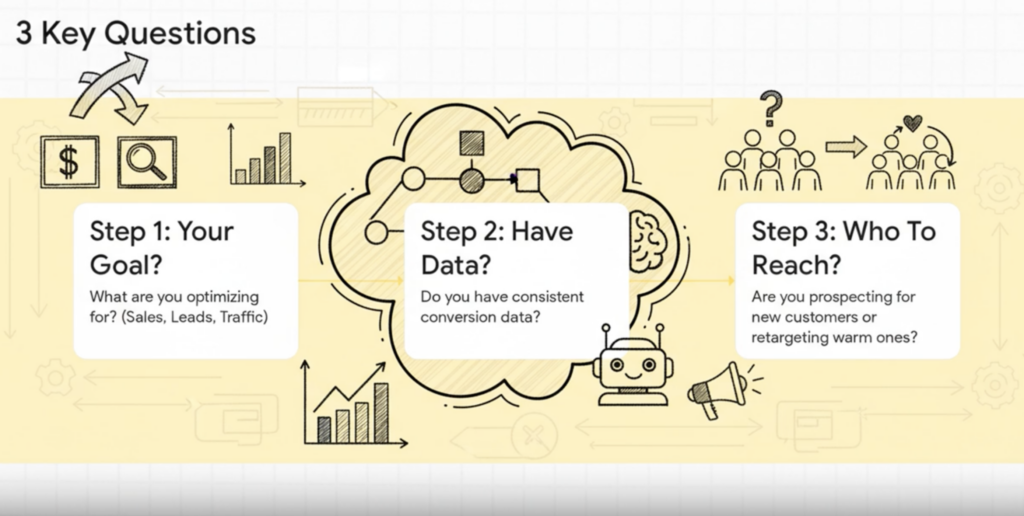
Start here: 3 questions that pick your targeting for you
Before you pick interests, lookalikes, or anything else, answer these:
1) What are you optimizing for?
Sales, leads, traffic, or engagement. This affects how strongly Meta can “hunt” for the right users.
2) Do you get consistent conversions on your optimization event?
If conversions are steady, broad and automated approaches usually get better over time. If conversions are low or inconsistent, you often need more guidance at first.
3) Are you prospecting or retargeting?
Prospecting is about finding new people. Retargeting is about converting warm people. Mixing the two without clarity leads to bad conclusions.
Once you answer these, the targeting choice becomes simpler. You’re not trying to build the perfect audience. You’re trying to pick a starting point that supports learning and keeps your spend focused.
If you’re running ecommerce ads (recommended starting audiences)
Most ecommerce accounts succeed with a simpler structure than people expect. Your product, price point, and creative do a lot of the filtering, so you don’t always need heavy interest stacks.
A practical starting setup for ecommerce prospecting looks like this:
- Start with broad targeting or Advantage+ audience if you have a stable purchase signal.
- Use core targeting only for real constraints like shipping countries and minimum age needs.
- Add exclusions for recent purchasers if the goal is new customer acquisition.
If your account is new or purchase volume is low, detailed targeting can help as a directional start. In that case, keep it light. Pick a small set of interests that match the category and test creative angles, rather than building dozens of narrow ad sets.
If you’re running lead generation ads (recommended starting audiences)
For lead gen, quality depends heavily on the conversion event and follow-up process. So your audience plan needs to protect quality, not just volume.
A clean lead gen starting approach:
- Keep prospecting audiences broader than you think, especially when your form or landing page already qualifies people.
- Use custom audiences to retarget engagers and visitors, but do not split them into too many windows early.
- Use exclusions to prevent showing ads to people who already submitted recently.
If you see a flood of low-quality leads, it is tempting to over-tighten targeting. Often the better fix is to tighten the lead signal itself. Improve the form questions, qualification messaging, and creative specificity. Targeting supports that, but targeting cannot replace it.
If you’re running B2B SaaS ads (recommended starting audiences)
B2B targeting is where people get stuck, because interest targeting and job titles feel like the obvious answer. They can work, but they can also shrink the audience too much and slow learning.
A practical B2B starting plan:
- Use broader targeting with strong creative that clearly calls out who the product is for.
- Keep core constraints simple, often just geography and language.
- Use retargeting for warm website visitors and content engagers, because B2B buyers rarely convert on first touch.
Job titles and detailed targeting can help, but use them as tests, not as the foundation of the whole account. If you over-layer B2B interests and job titles, you often end up paying more for less consistent delivery.
For B2B, your best targeting lever is usually the message. If the creative speaks to the right role and the right pain, the system learns faster, even with broad audiences.
If you’re a local business (recommended targeting options)
This is where Facebook ad targeting options for local business matters, because local has real constraints.
Start by getting the boundaries right:
- Tight location targeting around the service area.
- Age constraints only if they truly matter.
- Exclusions for people outside your service region if you are seeing irrelevant leads.
Local businesses often perform best with simple audiences plus trust-heavy creative. A perfect interest stack does not compensate for weak proof or unclear service area.
If you do not have online purchases, pick an outcome that matches your real business goal. Leads, calls, or messaging conversions can be valid, as long as your tracking and follow-up are consistent.
When to switch from detailed targeting to broad audience for Meta Ads?
The switch from detailed to broad happens when detailed targeting starts limiting your delivery rather than improving it. Signs this is happening include: your ad sets consistently stay in learning phase despite getting conversions, your CPMs are significantly higher than account averages, your frequency climbs above 2.5 within the first week, or you’re generating conversions but can’t scale budget without performance collapse.
Make the switch only after you’ve established conversion tracking and generated at least 200 conversions. Jumping to broad too early means the algorithm has insufficient data to find patterns within a massive audience. You’ll waste budget testing random segments.
Test broad as a separate campaign rather than editing existing ad sets. Keep your detailed targeting campaign running as a control while you give broad 10-14 days to exit learning. Compare performance at the same budget levels. If broad matches or exceeds detailed targeting efficiency, gradually shift budget toward broad.
Some businesses never make this switch because their market doesn’t support it. Highly specialized products, luxury items with small addressable markets, or services requiring specific qualifications often perform better with detailed targeting permanently. That’s fine – use what works, not what’s trendy.
How to set up audiences in Facebook Ads Manager? (Step-by-step)
You do not need a complicated setup to run a smart targeting strategy. You need a clean structure that makes testing possible and prevents constant resets.
Targeting decisions mainly live at the ad set level. That means the fastest way to break performance is to keep editing targeting in the same ad set every few days. Instead, think in terms of stable tests.
Where targeting lives in Ads Manager?
- Campaign level is where you choose your objective and sometimes broader automation settings.
- Ad set level is where you set audiences, placements, optimization, and budget strategy.
- Ad level is where creative and copy live.
This matters because you want one clear reason for an ad set to exist. If you keep stacking different audience ideas into the same ad set, you lose the ability to learn what actually worked.
How to build a Saved Audience?
Saved audiences let you create a targeting configuration once and reuse it across multiple campaigns. Go to Ads Manager, click the menu, select “Audiences,” then click “Create Audience” and choose “Saved Audience.”
Name your audience something descriptive that includes the key parameters. Set your location, age, gender, and language in the core targeting section. Then add detailed targeting if you’re using it—interests, behaviors, or demographics. You can use the “suggestions” feature to find related interests, though the suggestions aren’t always accurate.
Use the audience size meter on the right to check whether your targeting is too broad or too narrow. Meta provides guidance, but as a general rule, prospecting audiences under 500,000 people are usually too small for efficient delivery unless you’re running a local business or genuinely niche product.
Save the audience and it becomes available in the targeting dropdown whenever you create new ad sets. You can edit saved audiences from the Audiences page, but editing them doesn’t update existing ad sets using that audience. Only new ad sets created after the edit will reflect the changes.
Build a saved audience when:
- the core constraints are stable and real
- you want fewer mistakes when launching new campaigns
Avoid making dozens of saved audiences that differ only by one interest. That usually creates clutter and encourages fragmentation.
How to create a Custom Audience?
Custom Audiences come from data sources you already have—your website, your customer list, your Facebook page. Go to Audiences, click “Create Audience,” choose “Custom Audience,” then select your source type.
For website audiences, choose “Website” as the source, select the pixel, then define your audience using URL rules or events. “All website visitors” means anyone who loaded any page. “Specific pages” lets you target people who visited particular URLs. “Event-based” lets you target people who triggered specific pixel events like AddToCart or Purchase.
Set your retention window – how far back Meta should look. 30 days captures recent visitors, 180 days captures everyone over six months. Match this to your sales cycle. Short consideration products use 14-30 days, long consideration products use 90-180 days.
For customer list audiences, choose “Customer List,” then upload a CSV or TXT file with email addresses, phone numbers, or mobile advertiser IDs. Format the file according to Meta’s template: first name, last name, email, phone, country, and any other fields you want to include. Clean your data first to improve match rates.
For engagement audiences, choose “Instagram business profile” or “Facebook Page,” select which profile or page, then pick the engagement type. Options include everyone who engaged with any post, people who sent messages, people who saved posts, and profile visitors. Set your retention window based on how long engagement stays relevant.
How to create a Lookalike Audience?
LookaliLookalikes require an existing Custom Audience as the source. You can’t build a lookalike from a saved audience or detailed targeting, only from Custom Audiences.
Go to Audiences, click “Create Audience,” choose “Lookalike Audience.” Select your source Custom Audience from the dropdown. This should be a conversion-based audience when possible – customers, purchasers, or qualified leads rather than just website visitors.
Select your target location. This is where Meta will find people similar to your source audience. It needs to be a country or region, not a city or radius. If you run a local business, you’ll still select the full country here, then use location targeting in your ad set to narrow to your service area.
Choose your percentage. Start with 1% unless you have a reason to go broader. The system will create that audience, which takes a few minutes to a few hours depending on source audience size.
You can create multiple percentages from the same source at once by selecting “Add additional lookalike” before clicking create. This lets you build 1%, 2%, and 3% simultaneously, which is useful for testing which percentage performs best.
Lookalike audiences update automatically every few days as your source Custom Audience updates. If your source audience is “purchasers in the last 90 days,” new purchasers automatically get added to the source and influence the lookalike, while old purchasers who fall outside the 90-day window drop out.
How to set exclusions correctly?
Exclusions prevent specific audiences from seeing your ads. In your ad set, scroll to the detailed targeting or Custom Audiences section and look for “Exclude” options.
To exclude a Custom Audience, click “Exclude” under the Custom Audiences section, then select which audiences to exclude. Common exclusions include your customer list (for prospecting campaigns), recent website visitors (to keep prospecting cold), or people who recently converted (to prevent wasted spend).
To exclude detailed targeting like interests or demographics, use the “Exclude People” option in the detailed targeting section. This is less common but useful in specific situations—maybe you want to exclude people interested in competitor brands, or exclude certain job titles that aren’t decision-makers.
Layer your exclusions properly. If you’re running both prospecting and retargeting, your prospecting should exclude recent website visitors and customers, while your retargeting should target those same website visitors but exclude customers. This creates clean separation.
Check your exclusion audience sizes before launching. If you’re excluding an audience larger than your target audience, something’s wrong. Excluding 5 million people from a 3 million person targeting group means nobody will see your ads.l. If exclusions start choking delivery, reduce complexity instead of stacking more rules.
How to avoid audience fragmentation?
Audience fragmentation happens when you create too many ad sets with overlapping targeting, splitting your budget across campaigns that compete with each other instead of consolidating learning and budget into fewer, stronger campaigns.
Consolidate similar audiences into single ad sets when possible. Instead of running five ad sets with different yoga-related interests, run one ad set with all five interests using OR logic. The same budget concentrated in one place exits learning faster and optimizes more efficiently.
Avoid creating separate ad sets for minor creative variations. If you want to test three different images, create one ad set with three ads inside it. Don’t create three ad sets with one ad each just to see performance separated—Meta’s split testing tool handles that properly if you need isolation.
Use campaign budget optimization (CBO) when running multiple ad sets that serve the same goal. This lets Meta distribute budget across ad sets based on performance rather than forcing equal budget splits. One strong ad set can receive 70% of budget while weaker ones get minimal spend.
Audit your account regularly for old, paused, or overlapping ad sets. Campaigns that ran months ago might still be listed. Pausing them instead of deleting doesn’t free up the audience or clean up your account. Archive old campaigns once you’re confident you won’t reactivate them.
Facebook ad targeting tools (to find better audience ideas)
Finding effective audiences requires research beyond guessing which interests might work. Several tools help you identify targeting angles you wouldn’t discover through brainstorming alone.
Vaizle’s free audience and interest finder for Meta Ads is one of them. Instead of guessing interests one by one, you type in your niche, and the tool shows you a list of available interests (along with their path and audience size).
By default, Meta shows you a very limited list of available interests, and Vaizle’s free ad targeting tool can help you discover the hidden options very well.
It’s designed to do the boring part quickly, so you can spend your time on decisions that actually matter: which audience to test first, what creative angle to pair with it, and how to structure your tests without fragmentation.
Reach your audience seamlessly by picking the right interests
Get your list of free audience interests now
Conclusion
Facebook ad targeting feels messy when you treat it like a one-time decision. In reality, it’s a system. You start with the right audience type, keep your structure clean, and let the platform learn. When results dip, the fix is usually not “add more interests.” It’s checking what you’re optimizing for, how strong your signals are, and whether your audiences are fragmented.
If you want a faster way to make these calls, this is exactly where Vaizle AI helps. Instead of staring at Ads Manager trying to guess what changed, you can ask a direct question like “Which audience should I test next?” or “Why is this ad set spending but not converting?” and get a clear answer based on your actual account data. That’s the goal: less guesswork, faster decisions, and a targeting approach that keeps improving over time.
